What is Generative AI?
Generative AI is a branch of artificial intelligence that involves creating systems or algorithms that can generate new data, such as images, videos, or text, that are similar in style, content, or structure to existing data. Generative AI uses a type of deep learning called generative models, which are designed to learn the underlying patterns and features of the data and use that knowledge to generate new, realistic examples.
Overall, generative AI has the potential to revolutionize many fields by enabling the creation of new and original content in a more efficient and automated way than was previously possible.

NotebookLM by Google
In this video, NotebookLM from Google is demonstrated. This AI tool allows you to import or link your own content to build a “notebook” from which the AI will reference. Consider adding links to videos, documents, PDFs of textbooks, or pasting your LMS content into the Notebook.
Notebook LM then will build a resource… timelines, FAQs with answers, practice quizzes with answers, study guides, and perhaps the coolest feature, a podcast. The podcast can be listened to like live radio… ask the hosts questions using speech and they will answer your queries.
Microsoft Copilot
Microsoft recently launched Copilot, an AI companion to many functions of the Office 365 suite. LSSC students and employees have access to Copilot via mobile application or web browser (Bing.com). This short tutorial gives some explanations on how to log in and use the basic functions of Copilot
Utilizing AI in Education
Artificial intelligence has the potential to transform the field of education by providing new ways of teaching and learning that are more personalized, adaptive, and effective. However, it is important to recognize the limitations of AI and ensure that it is used ethically and responsibly.
- Personalized Learning: AI can help educators personalize learning by analyzing student data and providing customized learning experiences based on their needs, preferences, and learning style. This can help students learn more effectively and efficiently.
- Intelligent Tutoring Systems: AI-powered tutoring systems can provide students with personalized feedback and support in real-time, helping them master difficult concepts and stay engaged.
- Intelligent Content: AI can be used to develop intelligent content that adapts to the needs and learning level of the student. This can include interactive simulations, games, and virtual reality experiences.
- Predictive Analytics: AI can be used to predict student performance and identify students who may be at risk of falling behind. This can help educators intervene early and provide targeted support.
- Grading and Assessment: AI-powered grading and assessment systems can provide objective and consistent evaluations of student work, reducing the workload of educators and providing more timely feedback to students.
- Natural Language Processing: AI can be used to analyze and understanding natural language, which can be useful for automated grading of essays and providing real-time feedback on writing skills.
AI Language in Education
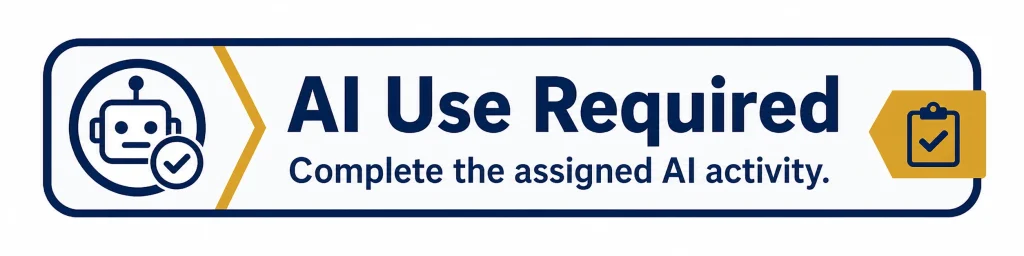
Depending on the needs of your course, you may decide how much or how little AI you want students to use. In such cases, it is important to be upfront with students and make your AI policies clear in the syllabus. For brief reminders about your AI policy, you may choose to include these visuals on your Home page or individual assignment instructions:



Key Considerations for Using AI
Here is an outline of some key considerations and strategies instructors can use to reimagine teaching and learning in the age of ChatGPT and AI:
Understand the capabilities and limitations of AI and ChatGPT
Instructors should have a basic understanding of how AI and language models like ChatGPT work, as well as their strengths and weaknesses in the context of education. This knowledge will help instructors to identify opportunities for integrating AI and ChatGPT into their courses in a way that enhances the learning experience for students.
Identify areas where AI and ChatGPT can enhance the learning experience
Instructors should explore ways in which AI and ChatGPT can be used to support student learning in online courses. For example, AI can be used to provide personalized feedback to students on their assignments, to analyze student performance data to identify areas where students need additional support, or to facilitate automated grading of multiple-choice quizzes.
Use AI and ChatGPT to personalize the learning experience:
Instructors should use AI and ChatGPT to create personalized learning experiences for their students. For example, ChatGPT can be used to create personalized chatbots that can interact with students and provide personalized guidance and support throughout their learning journey.
Foster social presence and community building
Instructors should foster a sense of community in their online courses by using AI and ChatGPT to facilitate social presence and interaction among students. For example, AI-powered discussion forums can be used to facilitate group discussions and collaborative learning activities.
Leverage AI and ChatGPT to create engaging learning experiences
Instructors should use AI and ChatGPT to create engaging learning experiences for students. For example, AI-powered simulations and games can be used to simulate real-world scenarios and provide students with hands-on learning experiences.
Ensure ethical use of AI and ChatGPT
Instructors should ensure that they are using AI and ChatGPT ethically in their courses. This includes being transparent with students about the use of these technologies, ensuring that data privacy and security protocols are in place, and being mindful of the potential biases that may be inherent in the use of these technologies.
Overall, instructors should embrace AI and ChatGPT as tools that can enhance the learning experience for students in online courses, while also being mindful of the ethical considerations and limitations of these technologies. By integrating AI and ChatGPT in thoughtful and strategic ways, instructors can create engaging and personalized learning experiences that meet the needs of today’s learners.
Let ChatGPT Be Your Teaching Assistant
Let the generative AI tool know its role (e.g., “You write clear explanations of concepts”). Tell it the concept and the audience that you are speaking to. If you’re using a tool that’s connected to the internet (such as Bing Creative Mode).
Practical Responses to Generative AI
CC Teaching Resources by Montclair State University Office for Faculty Excellence is licensed under a Creative Commons Attribution-NonCommercial 4.0 International License Third-party content is not covered under the Creative Commons license.